loraline
For a few friends within a kilometre or two of each other. A radio each, the air between them, and nothing else at all.
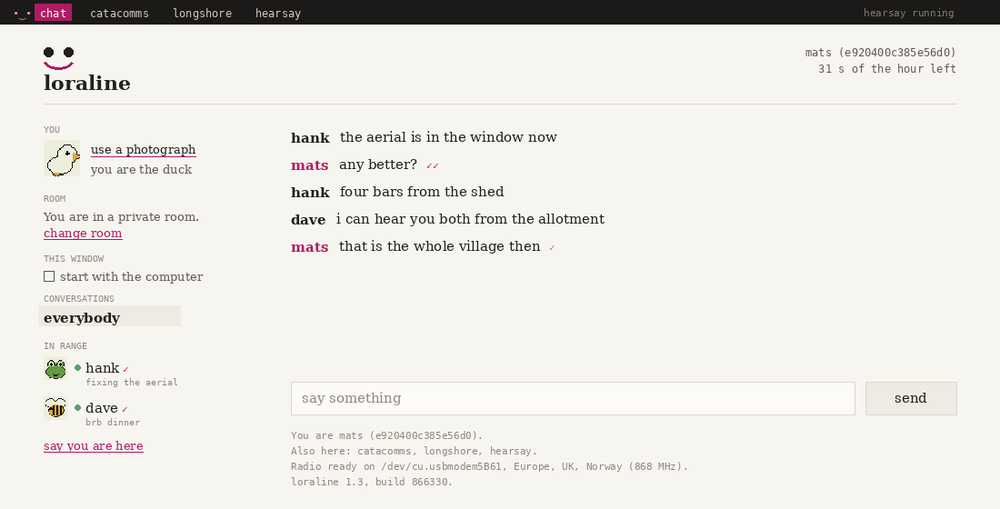
What it is
Two or more people plug a LoRa module into a USB port and talk to each other. No server, no account, no phone app, no internet. The radio in your house reaches the radio in theirs, and there is nothing else involved.
It borrows its shape from MSN Messenger: a contact list, presence, a personal message, private windows alongside the group. Those existed because the medium was thin, and this medium is thin again. When the heartbeats stop, your friend has gone. No server is guessing on their behalf.
Range is a few kilometres in a town, more with a window and some height. Use it with people who are already near you.
How far it reaches
Other radio projects treat distance as the problem to solve. Meshtastic hops a message through other people's nodes to get it further than one radio can throw. Reticulum is a whole networking stack, with addressing and routing, so anything can reach anything. Both are good answers to a real question.
This does not ask that question. What you can reach is what your radio can hear, and that is not a limit being worked around. It is the specification.
So there is no network here in the usual sense: nothing exists in between transmissions, and two radios can hear each other or they cannot.
What you get back is distance meaning something. You cannot pay to reach further and being popular does not help, so somebody is either near enough or they are not.
What a message costs
In Europe a radio on this band may transmit for 1% of the hour. Thirty-six seconds. A short message is a quarter of a second, so it is not a small allowance, but it is a real one, and loraline shows what is left of it and holds messages back rather than pretending they were sent.
A cost you can see is a cost you think about. Not much — about as much as the 160 characters of a text message made people write differently.
This depends on where you live. On 915 MHz in the United States and Australia there is no hourly limit, so the same program is slow there without being scarce.
What you need
- Two or more Waveshare USB-TO-LoRa-HF modules, or the near-identical EBYTE equivalents. They appear as a serial port and need no firmware flashing.
- An antenna each. This matters more than any setting you can change.
- Nothing, for the app: Python is inside it. For the command line version, Python 3.9 or newer.
The only dependencies are pyserial, and pynacl if
you want encryption.
Getting started
Download it, open it, and answer three questions: what people should call you, the passphrase your group agreed, and where in the world you are. It finds the module itself and sets the frequency itself. The second time it asks nothing.
You install nothing and never open a terminal. The command line is still there for anyone who prefers it.
Get loraline Download it, plug in a module, and talk.Radio and internet, together
A node can hold more than one bearer at a time, and one holding both becomes a bridge. That lets somebody far away join over the internet while the people near you stay entirely on radio.
# you: radio to the neighbours, socket to everyone else
python -m loraline chat --port /dev/ttyUSB0 --band eu868 \
    --nick hank --tcp-listen 4242

# next door: radio only, no internet at all
python -m loraline chat --port /dev/ttyUSB0 --band eu868 --nick dave

# far away: no radio at all, so no band to set either
python -m loraline chat --nick will \
    --tcp-connect your-host.example.com:4242
Relaying happens on sealed envelopes, before anything is decrypted, so the bridge passes a private message between two of its peers along without being able to read it. Whoever joins this way needs no radio and nothing configured. The setup covers both sides.
This is how networks worked before there was one big one. FidoNet was thousands of machines that each called a neighbour nightly, and mail crossed continents by hopping between local links. Nobody had a global connection. They had a link to someone who had a link.
Who can read what
Every module on the channel receives every packet, so a private chat cannot rely on clients politely ignoring what isn't theirs. Anyone with a modified client, or a serial terminal, would read it.
Each install generates a keypair in ~/.loraline/identity, and
your address is the hash of its public halves. Addresses are exchanged the
first time two people hear each other.
- Group messages
- Encrypted with a passphrase you all share. Everyone who has it can read them; nobody else can.
- Private messages
- Encrypted between exactly two identities. The third person in the group cannot read them, even though their radio received every byte.
Nothing about routing travels in the open, so a listener nearby cannot tell
who a packet is addressed to. /whois dave shows a fingerprint to
compare out loud: key exchange over the air is safe from a listener but not
from an active impersonator.
Finding people you have not met
You cannot agree a passphrase with somebody you have not met, which leaves no way to find out whether anyone is on a radio near you. So there is one phrase everyone knows, offered under the passphrase box when you set it up.
The open channel is not private. Everything on it can be read by anyone in range with this program: your messages, your face, your address, where you are standing in longshore. It is a noticeboard in a square. The sensible use is to hear who is about, and then agree a real phrase in person.
It is never what you get by default. While you are on it, every page says so at the top, rather than leaving it to a setting you chose an hour ago.
What it can't do
Some of this follows from the design above. Some of it is just awkward. Both are here.
Range is decided by obstruction, not distance
| Situation | Realistic |
|---|---|
| Both modules indoors, dense city | 200 m – 1 km |
| Suburban, each near an upstairs window | 1 – 3 km |
| One end high: attic, rooftop, top floor | 3 – 8 km |
| Clear line of sight, both elevated | 15 – 40 km |
Modern low-emissivity window coatings are metal oxide and cost you 15 to 25 decibels on their own. Getting the antenna two metres higher will do more than any parameter in the config.
Everyone's radio shares one channel
Everyone announces themselves periodically, and if two transmit at once both packets are lost. So the announcements slow down as people arrive: fifteen seconds each, which means four people check in every minute and twenty every five. The channel carries the same load either way.
That paces sitting still, not doing things. Saying something, or moving on the shore, goes out at once.
Chat survives a crowd. Every message is retransmitted until it is acknowledged, so at twenty people it slows down and still arrives, and you have well over a hundred messages an hour within the European limit. What goes first is knowing exactly who is in the room: at twenty, somebody leaving takes about thirteen minutes to show as gone.
The games are the fragile part, because a game's frames are sent once and nothing retransmits them.
It is slow, and always will be
A short message spends about a quarter of a second on the air. The client shows what is left of your hour and holds messages back rather than pretending they were sent.
Who you are
A nick, a colour, a line about what you are up to, and a face. All of it is set once and kept beside your keypair. None of it belongs to any one application, so you look the same in the chat, in the dungeon and on the shore.
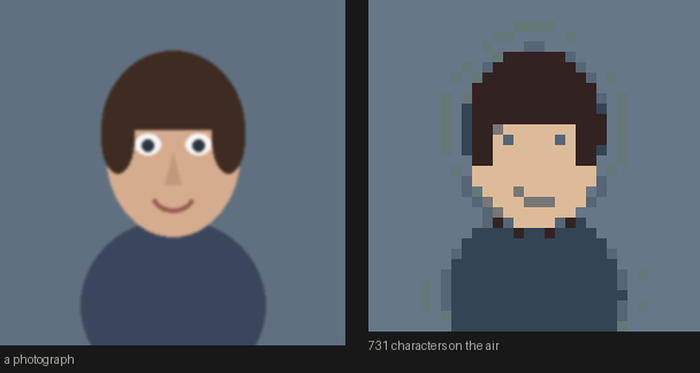
The picture is thirty-two pixels and eight colours, and it can be a photograph. Before anybody sets one they are a creature, so nobody is ever a blank square and somebody is the duck.
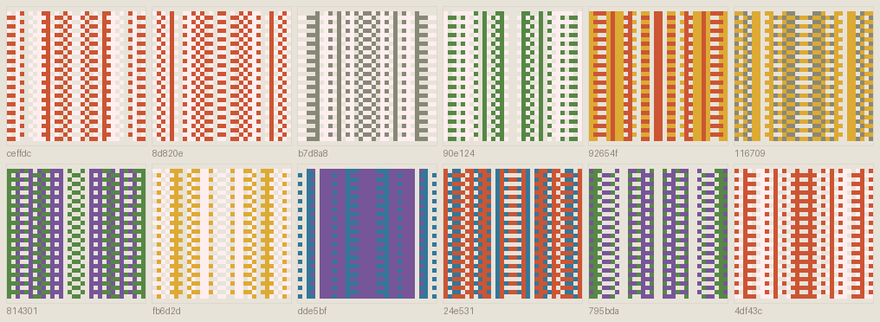
Your address is sixteen hex characters, derived from both your keys. Every signature is checked against it, and it is long enough that nobody can sit making keypairs until one comes out with your address on it.
A picture is too big to travel the way a nick does, so it goes over once and never again.
It stays running
A radio is a thing other people talk to, so closing the window does not quit. Messages arrive when you are not looking, and if somebody is reaching the group through you, your window being shut is them being cut off.
Starting with the computer is offered once and is one click to undo. Nothing installs itself.
What rides on it
A serial port can only be opened once, so two programs cannot share a radio. loraline owns it, and anything else that wants the air rides along in the same window: one setup, one airtime budget, one conversation underneath, and a switcher across the top.
Whatever is installed appears; whatever is not, does not.
There is a terminal client too
The same program without the browser, for a small computer in a window or anybody who prefers it.
── everyone ─────────────────────────
hank                    │•‿•  loraline. Signed in as hank (dd764c19b2e83a41).
Online                  │* 868 MHz (ch 18)  SF7  BW125  8 dBm
listening to something  │* Listening on 868 MHz. Everyone must match.
dd764c19b2e83a41        │* Idle costs 10s of radio time an hour, of 36.
                        │* dave has just signed in.
▸ everyone              │21:04 dave: antenna is in the attic now
    2 online            │21:04 hank: that's the whole difference ✓✓ 2/2
  ● dave (1)            │21:06 mira: still nothing from the cellar
    Online              │21:07 hank: try a window. height beats power,
    brb dinner          │             every single time ✓· 1/2
  ● mira                │
    Online              │
                        │
signal ||||  -88 dBm    │
▁▃▅▇▆▄▂▄▅▇█▆            │
last heard 12s ago      │mira is writing a message...
                        │[everyone] ▌
868 MHz   22s of radio time left this hour   1 waiting   encrypted for the group
Three people, one radio channel, no infrastructure between them.
Source
Around two thousand lines of Python, in five parts: the wire protocol, the session state, the transports, a driver, and a terminal interface. The session takes frames and clock ticks in and gives events out, so you can run the tests, and three conversations at once, with no hardware attached.
git clone https://github.com/intervalplace/loraline
cd loraline
python tests.py          # three sessions, simulated radio
python tests_bridge.py   # radio and internet bridged